Choosing a Revit plugin development company means evaluating a few specific things that never show up at first glance: whether the team actually understands the Revit workflow or just knows the API, who owns the finished code, and how support is defined after delivery. A polished portfolio or a professional-looking website answers none of those questions. This decision is different from choosing an off-the-shelf plugin from a marketplace. There, all that matters is whether the tool works. Here, you're choosing a long-term relationship, because custom code, unlike a generic product, needs someone who remembers why every decision was made the way it was, after every Revit update.


What a Revit plugin development company actually means
A real Revit plugin development company is a team that works with C#, .NET, and the Revit API and can build a custom tool that runs directly inside Revit, not a side script. That's different from general BIM consulting, or a freelancer who's built one plugin once. The real difference is continuity, not the ability to write a first line of code.
Some companies only handle code development. Others fold workflow assessment, interface design, and long-term support into their scope. Knowing which one a specific company is, before work starts, matters more than any other part of this evaluation.
Do they understand your workflow, not just the API
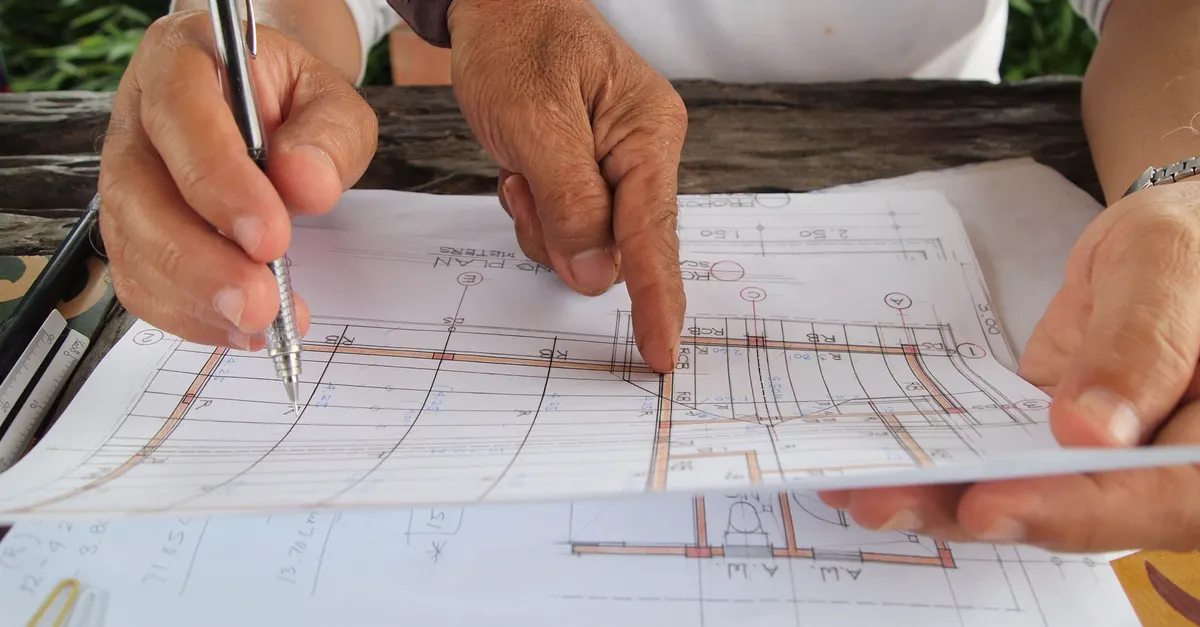
Fluency in the Revit API is necessary, not sufficient. A team that's never worked alongside a real architecture or engineering team usually still makes the correct technical decision, just in the wrong place: a tool that's flawless in code but doesn't fit the workflow actually happening on that project.
The best way to check this isn't asking directly whether they "understand AEC." Ask the team to walk through one of your real processes and watch what they ask. Questions about the process's odd edges, the exceptions nobody's documented, are a better sign of real experience than a list of technologies used.

What an honest portfolio actually shows
A good portfolio doesn't just show interface screenshots. It shows what specific problem the tool solved and what happened to it after delivery. Is it still in use? Has it been updated for newer Revit versions? A tool built two years ago and untouched since usually means the relationship with that client ended right there, not that the tool was so complete it never needed a change.
Asking for one real, checkable example, not just a general description, is never an unreasonable request. A company that hesitates at this usually either has thin real work behind it or clients who haven't given permission to share; either case is worth asking about directly.
How they scope work before writing any code
Everyone wants to jump straight to building; nobody enjoys spending the first few days just asking questions. But those unglamorous hours in a scoping session are exactly where a reliable tool separates from a fragile one, not anything visible in a demo.
A company that gives a price and timeline instantly, without asking for detail, has usually skipped over exactly the details that determine the real cost later. A serious scoping session should cover exact inputs and outputs, real project data samples, and a list of exception cases, not a one-line description of the ask.

Who owns the code, and who maintains it
Unlike a generic plugin bought from the Autodesk App Store, custom-built source code usually belongs to the client, unless the contract says otherwise. That needs to be in writing before work starts, not discovered later when switching development companies.
Maintenance is a separate question. Some companies deliver the code and the relationship ends there; others fold long-term maintenance into the contract. Neither model is inherently wrong, but which one applies needs to be clear upfront, because a tool with no maintenance path eventually runs into exactly the problem this guide is written to warn about.
What happens when Revit ships its next version
Autodesk ships a new Revit version every year, and the Revit API sometimes changes between versions. An add-in that works flawlessly this year might not work next year without a recompile. That risk is constant, not something only weaker companies run into.
The right question isn't whether this risk exists; it's how cost and turnaround are decided when it happens. Autodesk's own Certified Apps Program specifically requires compatibility with the latest and previous annual releases from developers. A company with a similarly clear answer has usually taken this risk seriously.

Support after delivery, not just before the invoice
Before signing, every company looks responsive. The real difference shows up when a bug surfaces three weeks after delivery. Response time, whether the bug-reporting process is documented, and whether the cost of a fix is agreed upfront or negotiated every time all matter here.
The best way to check is asking past clients about one real bug that came up, not asking generally about support quality. An answer with a date, a response time, and a concrete outcome is far more reliable than "their support is great."

Red flags worth walking away from
One of our own team's debugging exams once came down to a single spelling mistake, the only deduction from a score of 23.5 out of 24, when the class high was 18. The problem that actually causes damage is almost never the most complicated part of a project. It's the small detail nobody took seriously during evaluation.
The same logic applies to choosing a company. A dazzling portfolio or a polished pitch hides the real risk. The signs actually worth taking seriously: hesitation about sharing real examples, reluctance to discuss code ownership, a price and timeline offered without a real scoping conversation, and silence when asked how they handle a Revit update breaking things.
If all you need is an off-the-shelf plugin from the Autodesk App Store that solves your problem right now, commissioning custom development doesn't make sense. Buying an existing tool is cheaper and faster than building something from scratch; custom development earns its cost when no existing tool fits your workflow exactly.
Choosing a Revit plugin development company isn't really about the prettiest portfolio or the lowest price. It's about a few plain, checkable questions: do they understand your workflow, where does code ownership sit, what happens after a Revit update, and what does support actually look like after delivery. A vague answer to any of these matters as much as a clear one.
Related reading
FAQ
What's the difference between a Revit plugin development company and a freelancer?
The main difference is continuity. A freelancer might write equally good code, but once their next project starts or they become unavailable, long-term support and updates for new Revit versions carry more risk.
Should we ask for a company's real portfolio?
Yes. A good portfolio should show what problem the tool solved, whether it's still in use, and whether it's been updated for newer Revit versions. Hesitation about this request is itself a red flag.
Who usually owns the code for a custom Revit plugin?
Usually the client, unless the contract states otherwise. This needs to be clear in writing before work starts, not discovered after deciding to switch development companies.
What happens if a plugin breaks after a Revit update?
That's a constant risk, not an exception. Before work starts, it should be clear how cost and turnaround for a fix are decided in that case. A company with a clear answer already has taken this risk seriously.
How do we check a company's real support quality before signing?
Instead of asking generally about support quality, ask past clients about one real bug and exactly how long it took to fix. A specific answer is far more reliable than a general description.
When should we not bother with custom plugin development at all?
When an off-the-shelf plugin from the Autodesk App Store already solves the same problem. Custom development only earns its cost when no existing tool fits your workflow exactly.
What's the biggest red flag when choosing a plugin development company?
A price and timeline given without a real scoping conversation. The scoping session is exactly where a reliable tool separates from a fragile one; skipping it usually means important details get discovered later, not now.